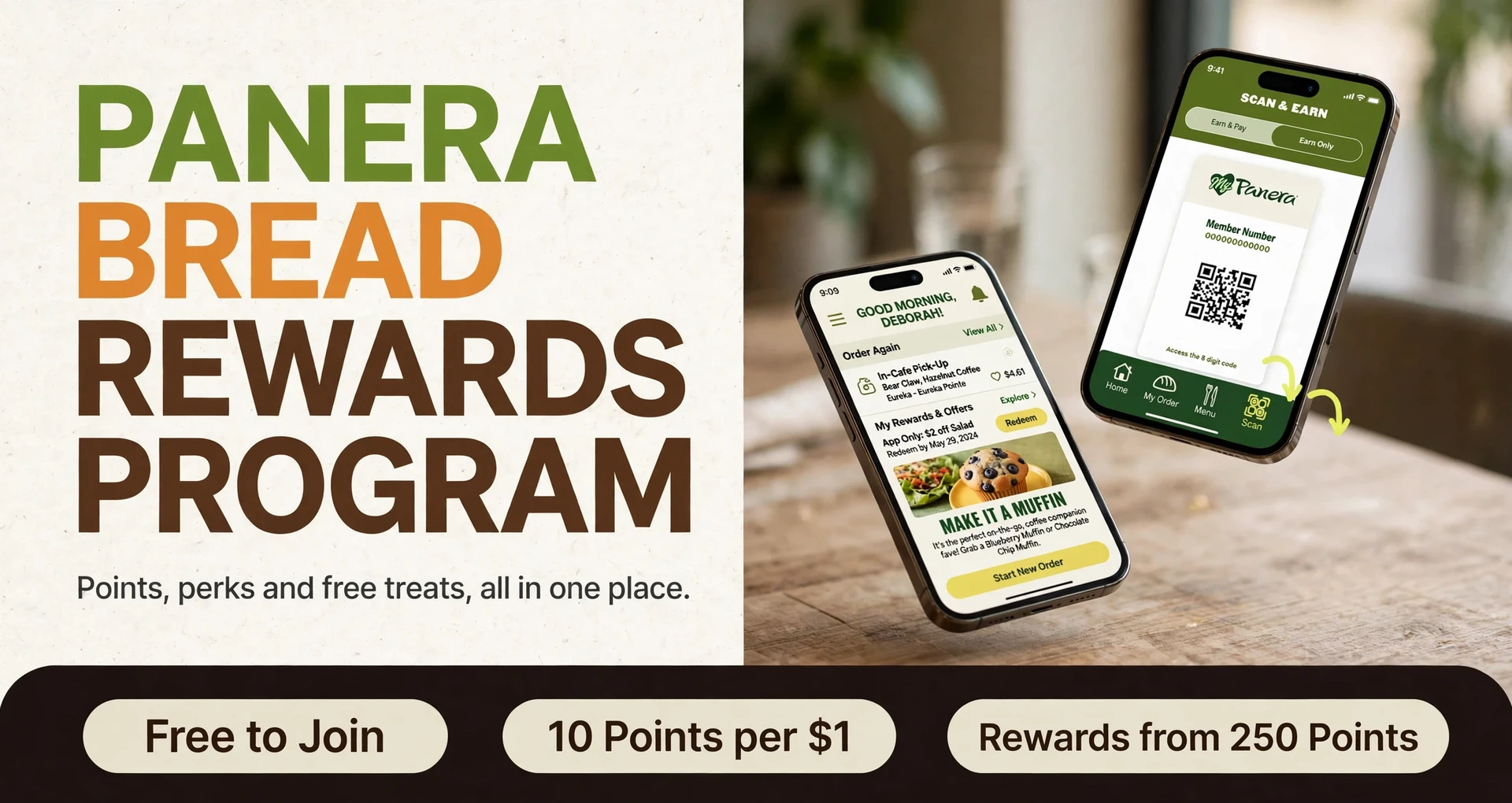
Panera Rewards Program: How MyPanera Points and Perks Work
The Panera rewards program is called MyPanera, and it costs nothing to join. Members earn points on food and drink orders, which they can redeem for free menu items. Members also get personal offers, a birthday treat, and early news about new items and deals. Here is how to join, how points and offers really arrive, how to claim a reward in the app and at the kiosk, and how Sip Club fits beside the free program.
Panera Rewards Program At A Glance
- Joining MyPanera is free. All you need is a unique email address and a few basic details, and you must live in the United States and be 13 or older to hold an account.
- You earn 10 points for every dollar you spend on food and drinks at participating cafes. Rewards start at just 250 points, and the catalog holds bakery treats, drinks, cups of soup, and more.
- Points stay active as long as you keep ordering, and they expire after 180 days with no account activity. Each claimed reward has its own expiry date, and you can use one reward per order.
- Sip Club is a paid drink plan that sits beside MyPanera, and it costs $14.99 a month plus tax or $119.99 a year plus tax. The plan covers up to 30 eligible drinks in each billing period and one drink every 2 hours during normal cafe hours.
The Panera rewards program is free to join, and every food and drink order adds points.
What Is MyPanera And How Has the Program Changed
Older articles still describe MyPanera as a program with no points at all. That was true for years, because Panera tracked visits and sent surprise rewards on its own schedule. Panera has now rebuilt the program around points, and the earning rules are open for every member to read.
The surprise side has not vanished. It now sits on top of the points, and members still get offers picked for them, special Monday offers, and delivery deals from time to time. Panera posts the full current rules on its official MyPanera FAQ page for any member to read.
How To Join MyPanera Step By Step
Joining takes a few minutes, and you can start on the website or in the Panera Bread app. Follow these steps in order, and your account will be ready before your next visit.
Step 1: Open The Official Join Page
Go to the MyPanera join page on the Panera website, or open the app and tap Join. Panera asks for a unique email address because it records your orders and points.
Step 2: Add Your Basic Details
Enter your name and phone number, and set a password you will remember. Your phone number matters because it is the key that pulls up your account at the counter and at the kiosk.
Step 3: Add Your Birthday
Add your birthday month and day to your profile during sign-up, or soon after it. Panera uses that date to load your birthday treat each year, and a missing birthday means no treat arrives. The treat comes from the bakery case, and it can be a bagel, a cookie, a brownie, a muffin, or another sweet item.
Step 4: Make Your First Purchase
New members get a welcome offer of 500 points with a food or drink purchase in the first 14 days. Panera adds those welcome points within 24 hours of that first order. That single offer already puts you past the first reward level in the catalog.
How Points And Offers Really Arrive
- Every food and drink order at a participating cafe earns 10 points per dollar. A breakfast sandwich earns points, a soup-and-salad lunch earns points, and even a plain bagel run earns points too.
- Some spending earns nothing, and it helps to know the list before you order. Taxes, fees, and tips earn no points. Catering orders earn no points, and neither do orders placed through third-party delivery apps. Gift card buys, grocery items, and the Sip Club fee itself also earn nothing.
- Points do not land the second you pay. Panera asks members to allow at least 24 hours after an order is complete, so check your balance the next day first.
- Offers arrive differently. Panera loads them straight into your account: select Monday offers appear as rewards in the app, and delivery offers show up from time to time. An offer never applies on its own. You must select it while you order, or it stays unused.
- Points expire after 180 days if the account has no activity. Any order, reward claim, or Sip Club drink keeps that clock from running out. Each claimed reward also shows its own expiry date inside your account.
- Points also stop adding once the balance reaches 50,000 points.
That is how the Panera rewards program keeps the rules simple: earn on food and drink, and lose nothing while the account stays active.
The Member Levels In Plain Words
Every member starts on the free MyPanera level and earns the standard 10 points per dollar. Nothing about the base level costs money, and the birthday treat and Monday offers are included at this level too.
The MyPanera Plus level unlocks after you spend $300 or more on food and drinks in one calendar year. Plus members get a free You Pick Two meal on their birthday, bonus points on delivery orders, and early access to select new menu items, with discounts on some of those items.
Sip Club members hold the Plus level while the subscription stays active, and that link makes the drink plan worth more than drinks alone.
How To Claim A Reward In The App
Claiming and using a reward are two separate moves, and mixing them up causes most of the confusion. You claim a reward first with points, then redeem it later in an order.
- Open your rewards. Log in to the app or the website and open your account to see your point balance.
- Tap Claim Rewards. The catalog shows every reward and the points each one costs, and you can browse before you choose.
- Pick and claim. Tap Claim on the reward you want. The points leave your balance, and the reward lands in your account.
- Redeem inside your order. Start your order and tap Redeem on that reward so the free item or discount applies before you pay.
Choose with care, because a claim cannot be undone. Panera does not return points after a claim, and you can’t swap the reward for a different one. If the reward sits unused past its expiry date, then it is gone for good.
How To Use A Reward At The Kiosk And At The Counter
- At the kiosk, log in to your account before you build your order. Your rewards then show on the screen, and you select the one you want on that order. Logging in first is the whole trick, because a guest checkout hides your rewards and earns you nothing.
- At the counter, give the cashier the phone number tied to your account before you pay. The cashier pulls up your account and tells you your balance and your reward choices. You pick one reward, and the team applies it to that order on the spot.
- The app also offers Scan to Pay at the counter, tying your payment to your account in one move.
Sip Club And How It Fits Beside MyPanera
Sip Club is a paid subscription, and it is not part of the free program. You must have a MyPanera account to subscribe, and members must be 18 or older to join.
The club costs $14.99 a month plus tax, or $119.99 a year plus tax. Members get up to 30 eligible drinks in each billing period, and one drink every 2 hours during normal cafe hours. The full drink list is on the beverages page and includes drip coffee, cafe blend iced coffee, hot tea, fountain drinks, and select bubbler drinks. You can also see the full Panera Bread menu for the food that goes with those drinks.
Drinks in the cafe come with free refills on the same visit where refills apply. The subscription fee itself earns no points, but each Sip Club drink you redeem counts as account activity. That activity keeps your points alive even in a month when you buy no food at all.
The math favors daily and near-daily drinkers who pass a Panera on a normal route. A once-a-month visitor pays more in fees than the drinks would cost at the counter. Sip Club members also receive select Saturday offers in addition to the Plus level perks described above.
Mistakes That Make Members Miss Rewards
Most lost rewards come from small habits rather than big errors. Watch for these traps, and you will keep almost every point and offer you earn.
- Ordering while logged out. A guest order earns no points, and Panera is clear that orders without a login get nothing. Log in every single time, even for a small coffee.
- Using a third-party delivery app. Orders placed on outside delivery platforms earn no points, even when the food comes from Panera. Order in the Panera app or on the Panera website when points matter.
- Expecting points on catering and gift cards. Group orders and gift card buys sit outside the points program. Plan your personal orders to carry your balance.
- Claiming in a hurry. A claimed reward cannot be changed, and the points cannot come back. Read the expiry date and the item name twice before you tap Claim.
- Forgetting to select an offer. Monday offers and delivery offers wait in your account until you select them during an order. A reward you never select expires in silence.
- Letting the account sleep. Points die after 180 days without any activity on the account. One small order or one Sip Club drink resets that clock.
- Skipping the birthday field. No birthday in the profile means no birthday treat in the account. Add the date once, and the treat arrives every year on its own.
Panera Rewards Program FAQs
Final Words On The Panera Rewards Program
The free program asks for nothing but a login, and it pays back free treats on spending you already do. Join before your next visit, add your birthday, and make your first purchase within 14 days to earn the welcome points. Check your rewards before every order and claim with a cool head, and the program will quietly cut the cost of your Panera habit. That is the Panera rewards program in short: free to join, points on every order, and rewards that stack up on spending you already do.